Cultural Influences in Laser-Cut Acrylic Artwork

Cultural Influences in Laser-Cut Acrylic Artwork

INDUSTRIAL NEWS

Cultural Influences in Laser-Cut Acrylic Artwork

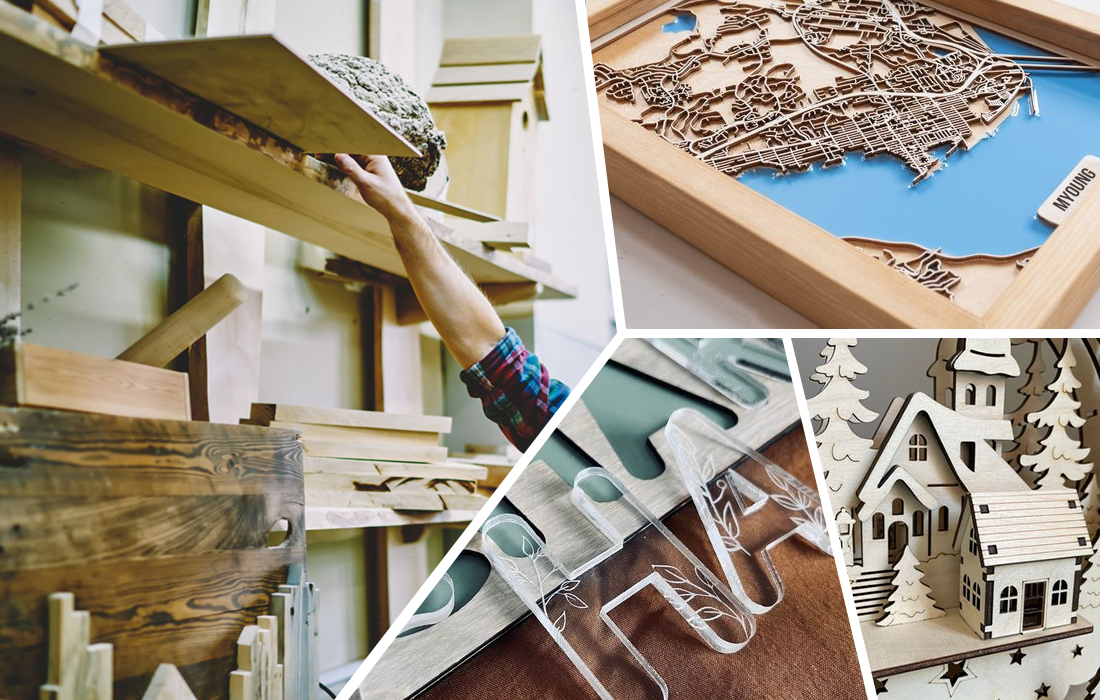
Laser-cut acrylic artwork is a fusion of precision technology and creative expression. With the versatility of CO2 laser machines, artists and designers can incorporate cultural motifs, traditional designs, and contemporary art forms into intricate acrylic creations. This blending of cultural inspiration and modern technology is reshaping how we view and create art.

1. CO2 Laser Machines: A Gateway to Cultural Creativity

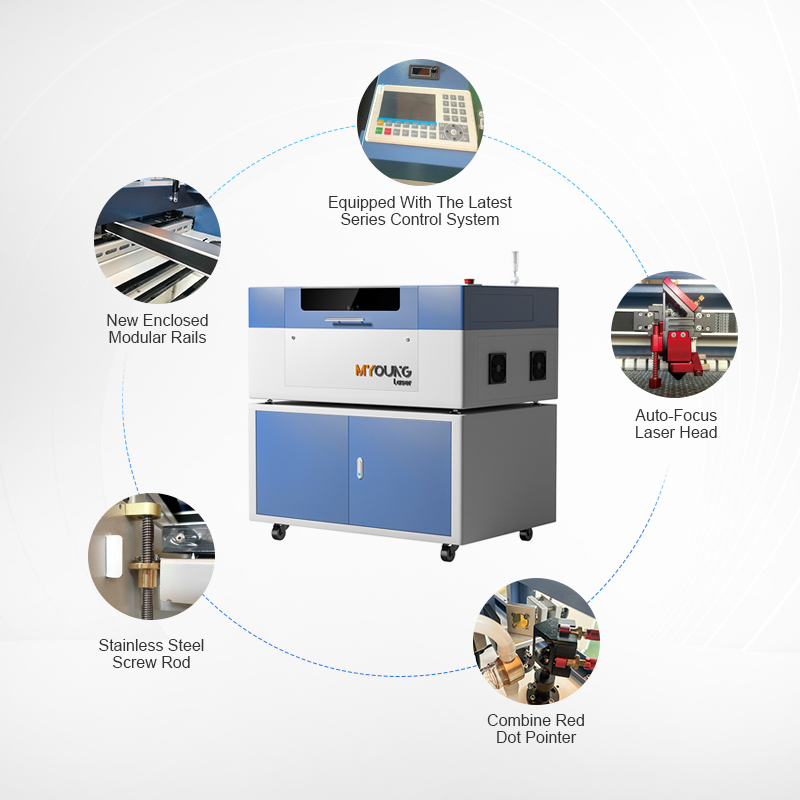
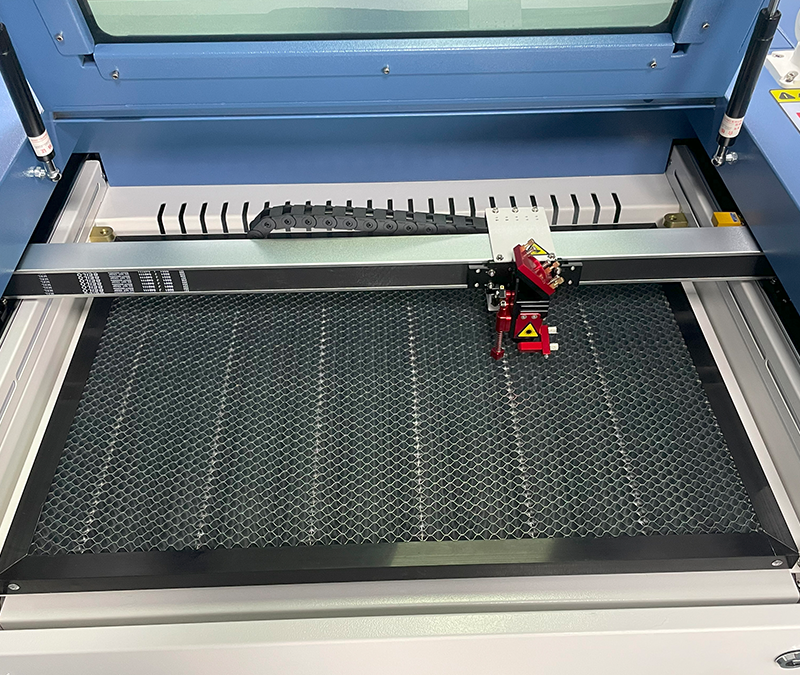
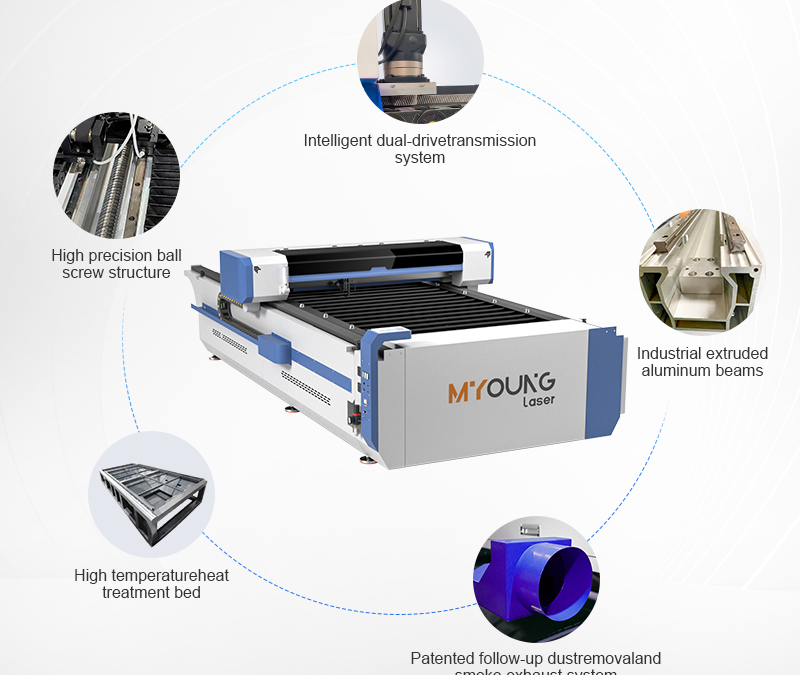
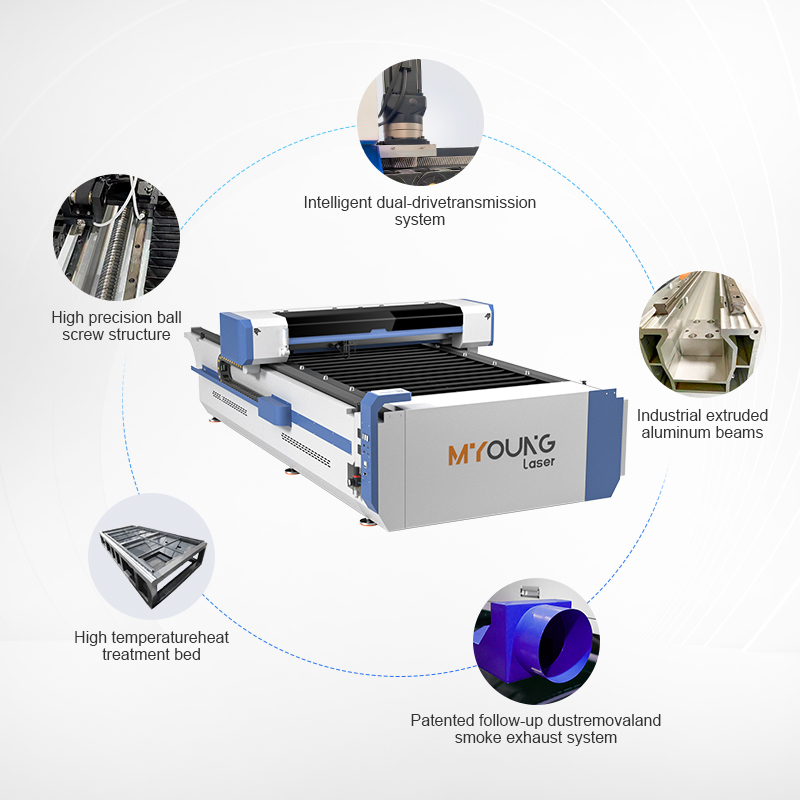
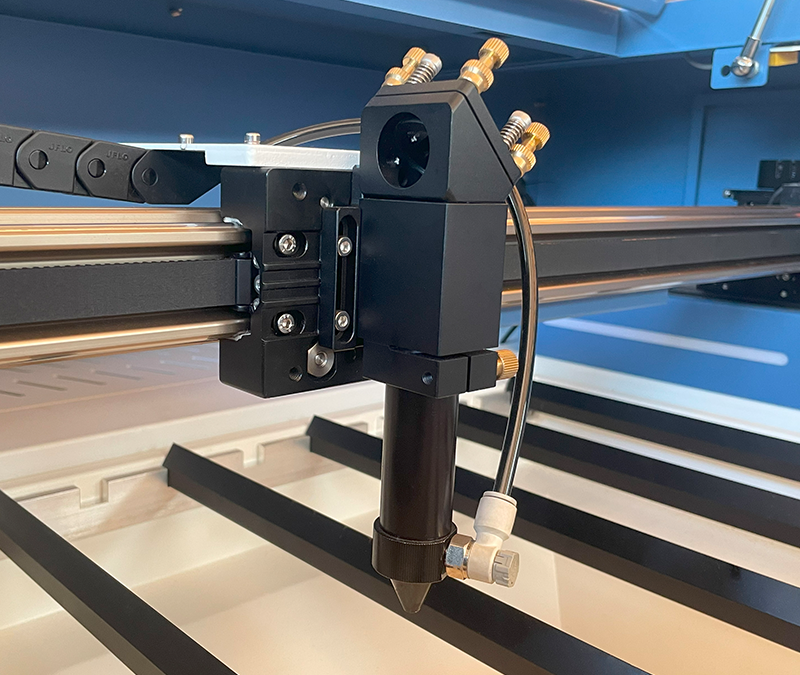
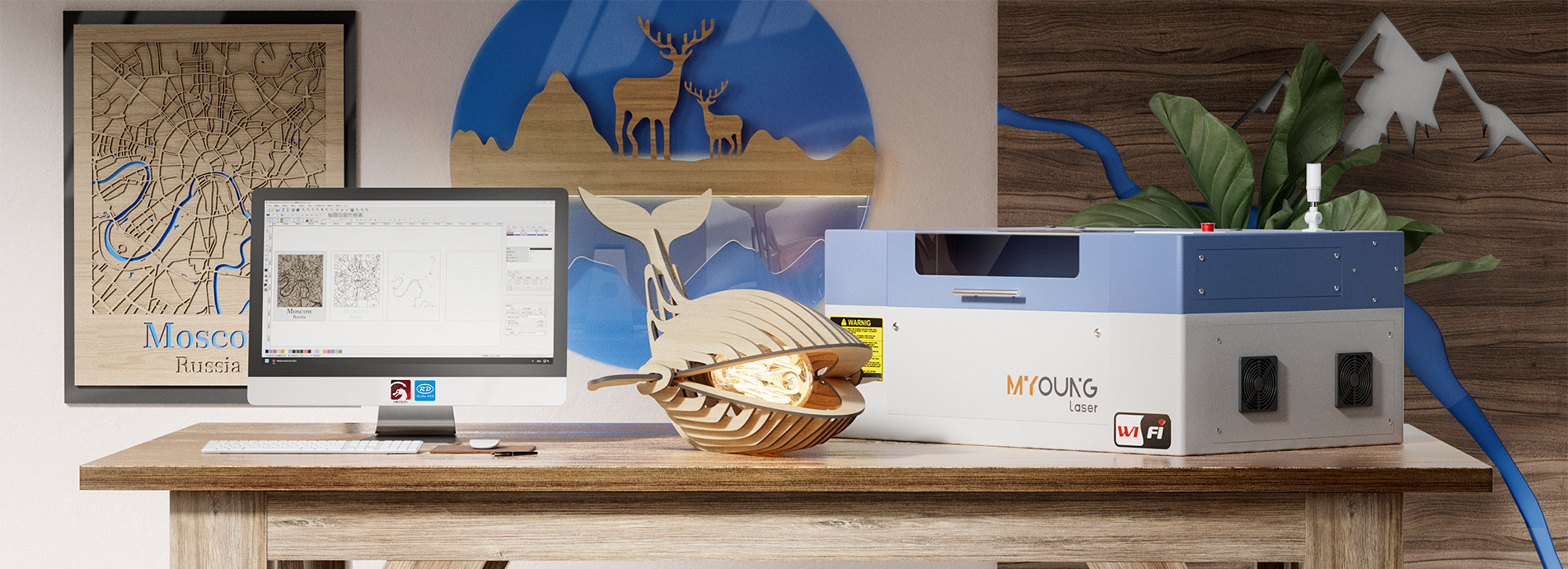
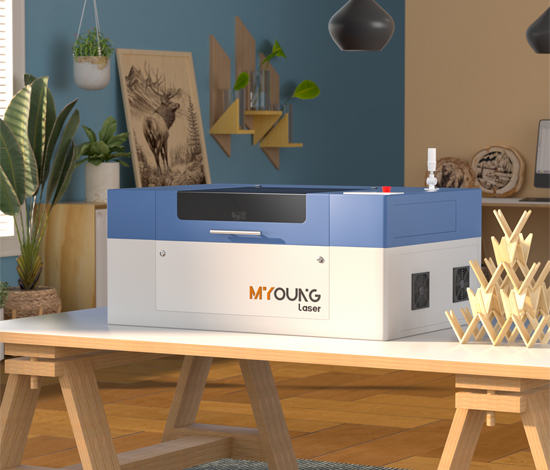
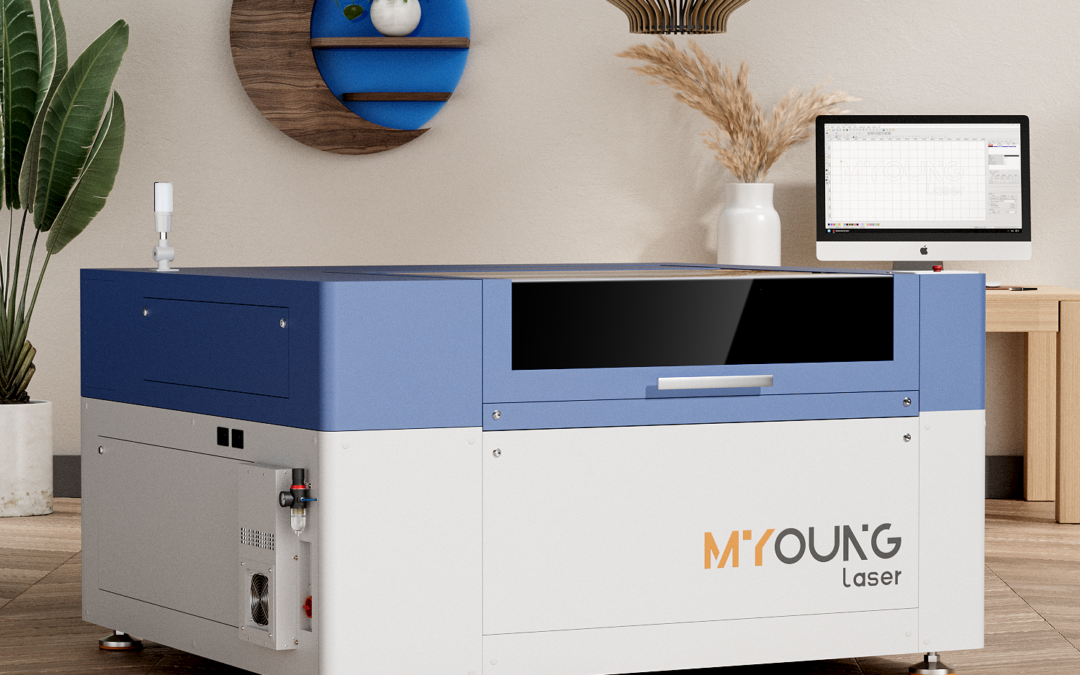
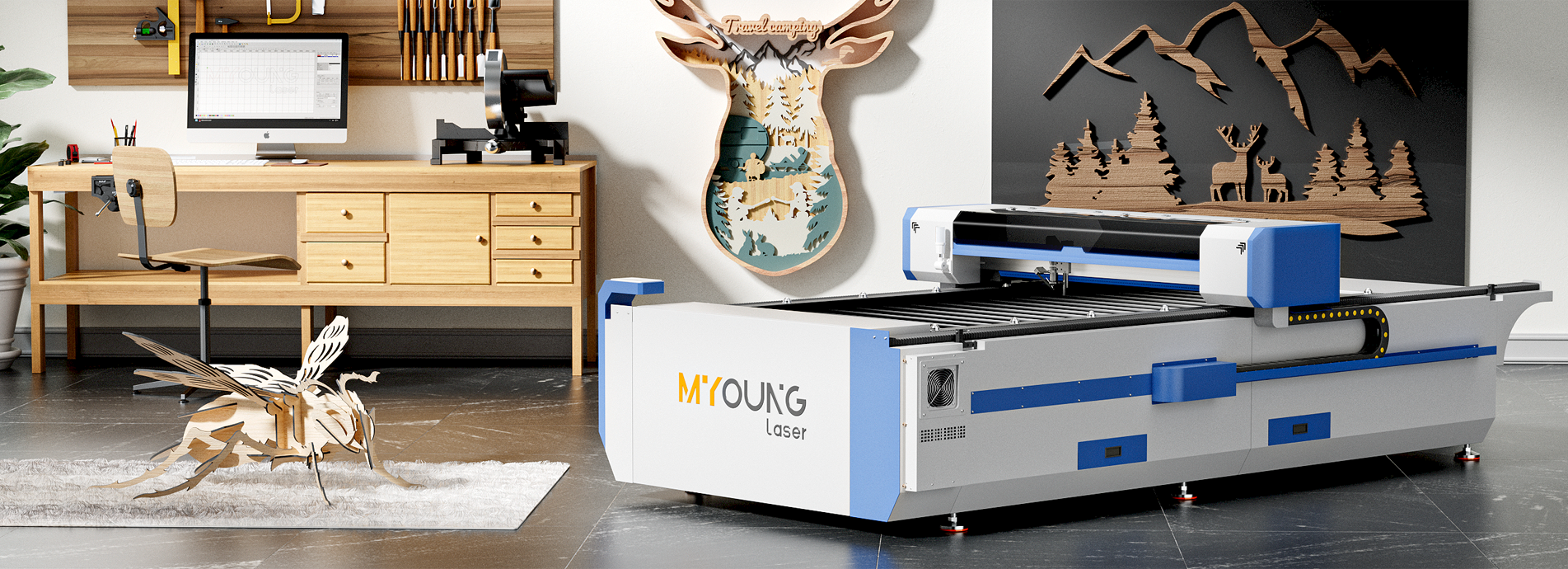
CO2 laser machines, like those from MYounglaser, are indispensable tools for producing intricate and customized acrylic artwork. These machines allow for:

  • Fine Detailing: Capturing the delicate nuances of cultural motifs.
  • Versatility: Accommodating various thicknesses and designs.
  • Efficiency: Producing large-scale projects without compromising quality.

2. Traditional Motifs in Modern Acrylic Art

Artists often draw inspiration from cultural heritage to craft unique pieces that celebrate history and identity. Examples include:

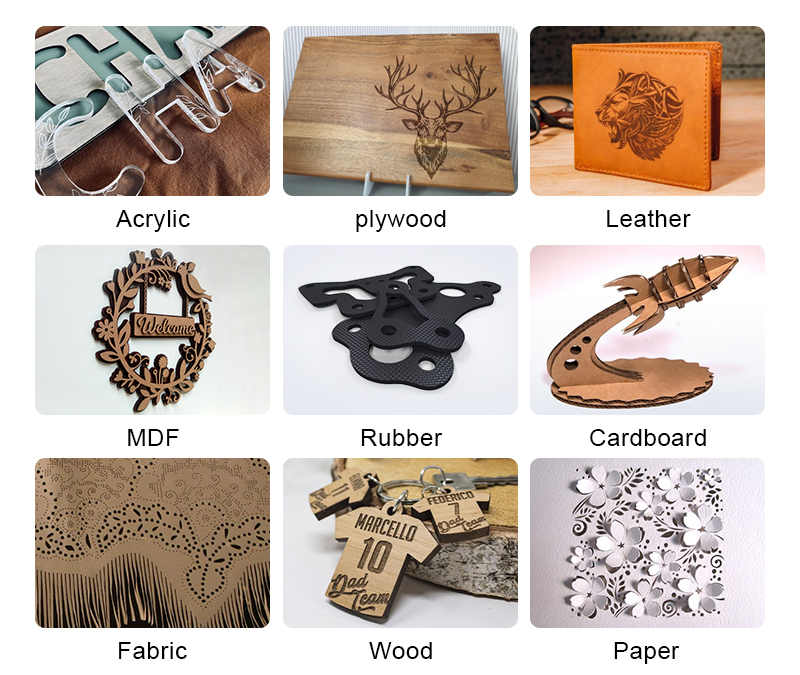
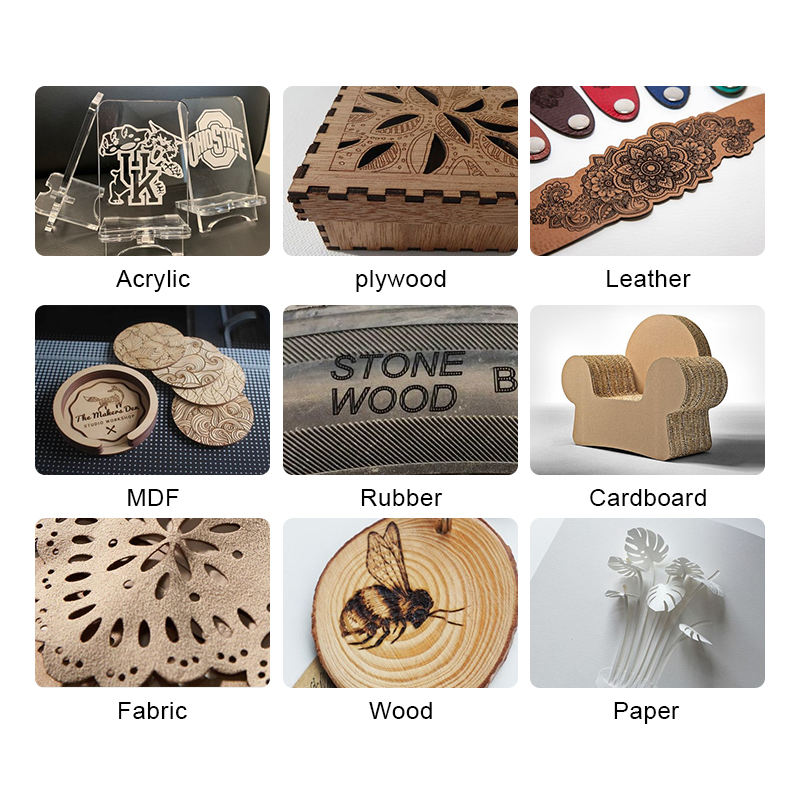
  • Asian Influence: Intricate patterns such as mandalas, cherry blossoms, and dragons are popular in laser-cut acrylic screens, decorations, and jewelry.
  • Middle Eastern Geometry: Islamic geometric patterns work beautifully in acrylic for lamps, panels, and window designs.
  • Western Heritage: Art Nouveau and Victorian floral designs are frequently translated into acrylic wall art and signage.
co2 laser cutting machine

3. Cultural Applications in Various Industries

Laser-cut acrylic is used in industries where cultural expression meets functionality:

  • Interior Design: Room dividers, light fixtures, and furniture with cultural motifs create striking aesthetics.
  • Fashion Accessories: Acrylic jewelry featuring tribal or traditional patterns is both lightweight and visually impactful.
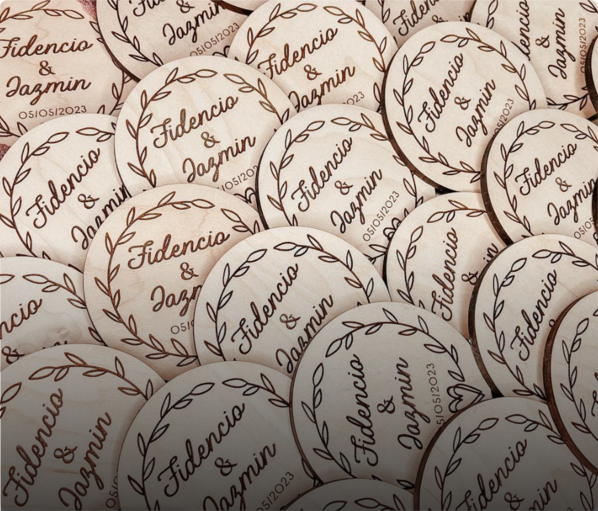
  • Event Decor: Weddings, festivals, and exhibitions often use laser-cut acrylic items like table centerpieces or backdrop elements inspired by cultural traditions.

4. The Role of Acrylic in Preserving Cultural Art

Unlike traditional materials such as wood or metal, acrylic offers advantages that help preserve and reinterpret cultural art:

  • Durability: Acrylic resists weathering, making it ideal for permanent installations.
  • Customizability: Transparent or colored acrylic allows artists to experiment with layering and lighting for enhanced effects.
  • Cost-effectiveness: Acrylic is affordable, enabling wider accessibility to cultural artworks.

5. MYounglaser CO2 Laser Machines: Elevating Acrylic Artwork

MYounglaser’s CO2 laser machines provide precision cutting and engraving capabilities tailored for cultural designs. Benefits include:

  • High-speed engraving for intricate details.
  • Support for custom designs in various formats.
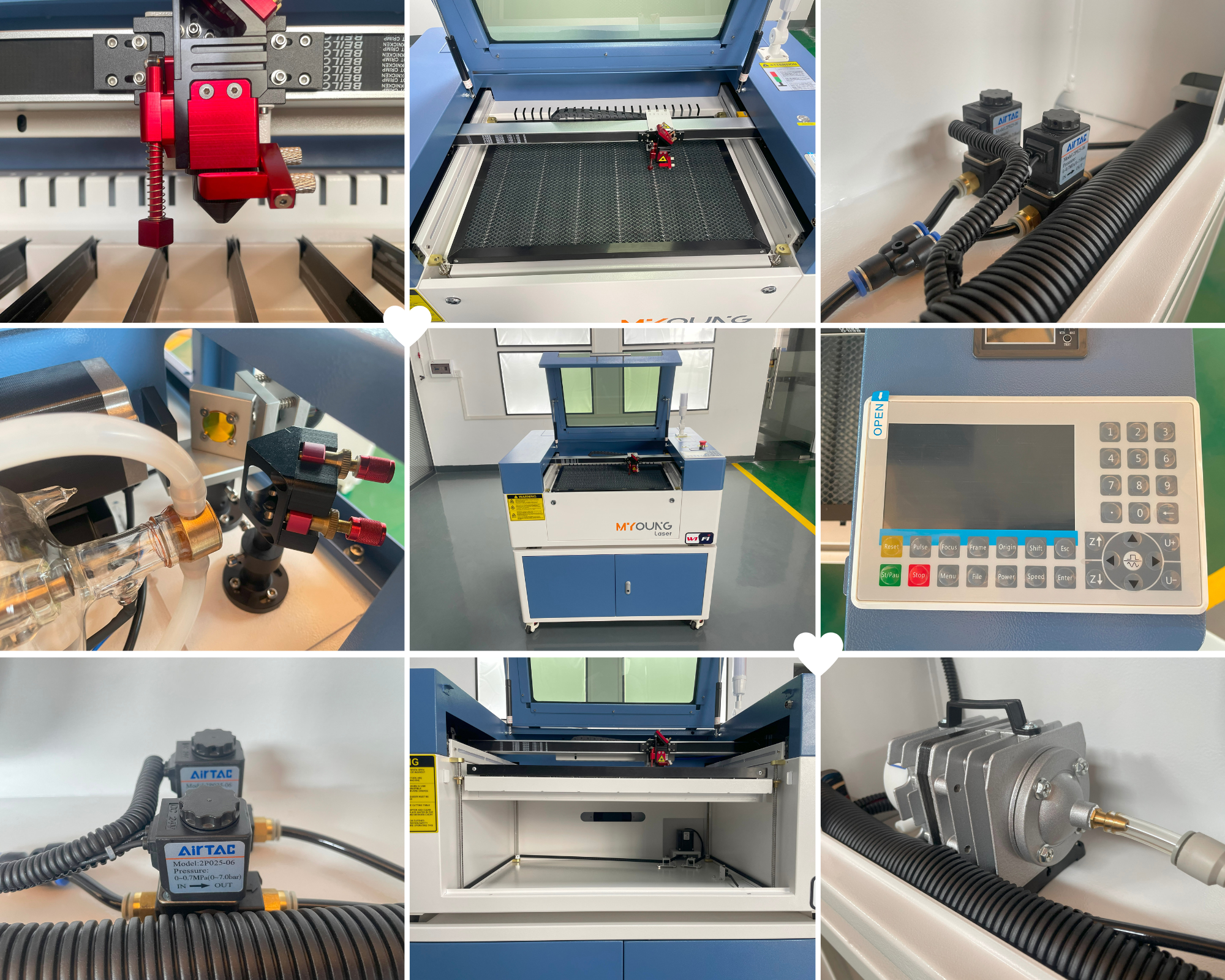
  • Advanced cooling systems to ensure consistent performance during large projects.

Proper ventilation is a fundamental aspect of managing fumes:

  • Dedicated Venting: Consider using a venting system that leads fumes directly outside. Position it in a way that the air flows away from the machine operator.
  • HVAC Systems: If possible, integrate your laser workspace into a larger HVAC system equipped with exhaust fans and vents. This can help to circulate air more effectively, ensuring that fumes are continually moved out of the workspace.
 

co2 laser machine manufacturers

Cultural influences enrich laser-cut acrylic artwork by merging tradition with modernity. From traditional motifs to cutting-edge designs, CO2 laser machines like those from MYounglaser empower artists to explore new dimensions of creativity.

Ready to bring your cultural inspirations to life? Explore MYounglaser CO2 laser machines today to start crafting with precision and style!

Ready to Speak with One of Our Experts?

Getting started on any project can be daunting. Let us handle the technicalities so you can focus on bringing your designs to life.

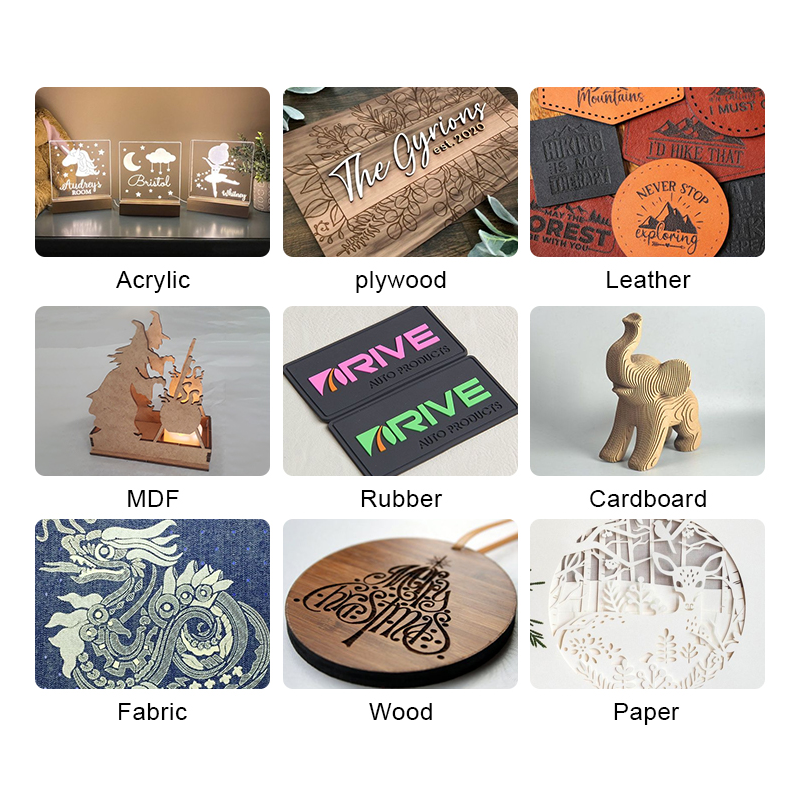
Open the box; pull out your machine; and get to work. Whether you’re engraving on wood, leather, acrylic, or metal, just let us know your materials of choice, and we’ll find the perfect machine for your needs.

If you’re ready to upgrade your equipment, elevate your business, or simply unleash your creativity, we’re here to assist.

At Foshan Myoung Laser Technology Co., Ltd., established in 2012, we pride ourselves on integrating R&D, manufacturing, sales, and service to deliver top-notch laser solutions. Our range includes laser cutting machines, laser welding machines, laser marking machines, and industry-specific and automated laser equipment.

Got questions? Comments? Curious about our cutting-edge laser technology? Schedule a call with us today. We actually answer our phones and are here to help you every step of the way.
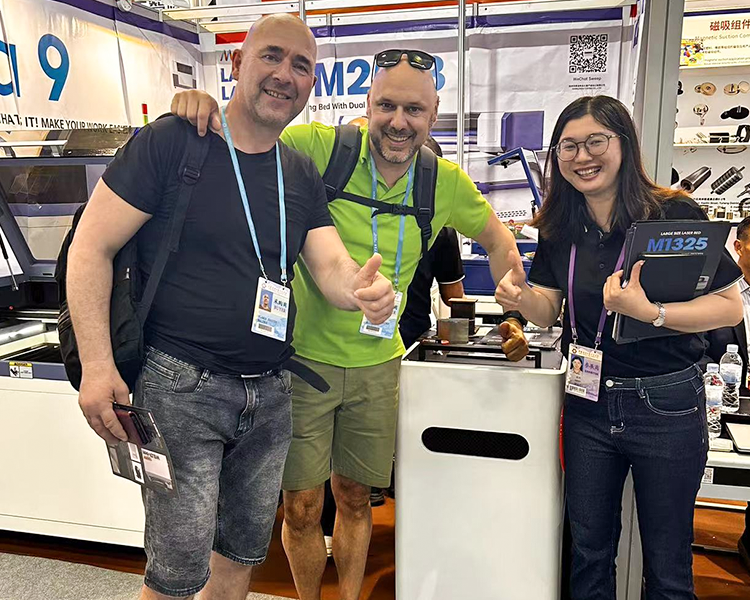
MYonglaser co2 laser cutting machine
The Environmental Impact of Acrylic Laser Cutting

The Environmental Impact of Acrylic Laser Cutting

INDUSTRIAL NEWS

The Environmental Impact of Acrylic Laser Cutting

Laser cutting technology, particularly with CO2 laser machines, has revolutionized the way acrylic is processed, offering precise, efficient, and versatile solutions for various industries. However, with the growing focus on sustainability, it is essential to assess the environmental impact of this process and explore ways to minimize negative outcomes.

In this article, we delve into the environmental aspects of acrylic laser cutting, including material considerations, emissions, energy consumption, and strategies for making the process more sustainable.

1. Acrylic as a Material: Environmental Perspective

Acrylic, also known as polymethyl methacrylate (PMMA), is a widely used material for its transparency, durability, and versatility. However, its environmental impact raises some concerns:

  • Production: Acrylic is derived from petrochemicals, and its production is energy-intensive, contributing to greenhouse gas emissions.
  • Recyclability: Unlike some plastics, acrylic can be recycled, but the recycling process is not widely implemented and may require specialized facilities.

Despite these challenges, its durability means that products made from acrylic can have a long lifespan, reducing the need for frequent replacements.

2. Energy Consumption of CO2 Laser Machines

CO2 laser machines, such as those from MYounglaser, are efficient in terms of material use but do require significant energy to operate. Factors influencing energy consumption include:

  • Laser Power: Higher power machines consume more energy, especially when cutting thicker acrylic materials.
  • Operational Efficiency: Advanced CO2 laser machines, like those offered by MYounglaser, optimize energy use through precise controls and efficient cooling systems.

By selecting the appropriate machine for your needs and using it efficiently, businesses can minimize energy wastage.

3. Emissions from Acrylic Laser Cutting

When acrylic is cut with a CO2 laser, it releases fumes and particulates. These emissions include:

  • Volatile Organic Compounds (VOCs): Generated from the thermal decomposition of acrylic, VOCs can contribute to air pollution if not properly managed.
  • Odors and Particulates: These byproducts can affect indoor air quality if adequate ventilation or air filtration systems are not in place.

MYounglaser CO2 machines are designed with integrated air filtration systems that capture and neutralize harmful emissions, promoting a safer and more eco-friendly cutting process.

co2 laser cutting machine

4. Waste Generation

Laser cutting produces minimal material waste compared to traditional cutting methods, as it is highly precise. However:

  • Acrylic Scraps: These can often be reused for smaller projects or recycled if facilities are available.
  • Dust and Residue: Proper cleaning and maintenance of the laser machine can help manage and reduce these byproducts.

5. Sustainable Practices for Acrylic Laser Cutting

To reduce the environmental footprint of acrylic laser cutting, businesses can adopt the following strategies:

  • Material Optimization: Plan cutting layouts to maximize material use and reduce waste.
  • Invest in Eco-Friendly Equipment: Choose machines with energy-efficient features and effective emission control, such as MYounglaser’s advanced CO2 laser systems.
  • Recycle and Reuse: Partner with recycling facilities that can handle acrylic waste and explore creative ways to repurpose scraps.
  • Maintain Equipment: Regularly service CO2 laser machines to ensure optimal performance and energy efficiency.
  • Use Sustainable Acrylic: Seek out suppliers that offer eco-friendly or recycled acrylic options.

6. MYounglaser: A Sustainable Choice

MYounglaser is committed to providing environmentally conscious solutions with its range of CO2 laser machines. Key features include:

  • Energy Efficiency: Machines designed to minimize energy consumption without compromising on performance.
  • Advanced Air Filtration: Built-in systems to reduce harmful emissions during acrylic cutting.
  • Durable and Reliable: Long-lasting machines that reduce the need for frequent replacements, lowering the overall environmental impact.

By choosing MYounglaser CO2 laser machines, businesses can meet their production goals while contributing to sustainability efforts.

co2 laser cutting machine

Acrylic laser cutting, while not entirely without environmental impact, can be made significantly more sustainable through careful material selection, efficient machine use, and waste management. By investing in high-quality machines like those from MYounglaser and adopting eco-friendly practices, businesses can minimize their footprint while achieving outstanding cutting precision.

Looking for an energy-efficient, eco-friendly CO2 laser machine? Explore MYounglaser’s range today and take a step toward sustainable laser cutting.

Ready to Speak with One of Our Experts?

Getting started on any project can be daunting. Let us handle the technicalities so you can focus on bringing your designs to life.

Open the box; pull out your machine; and get to work. Whether you’re engraving on wood, leather, acrylic, or metal, just let us know your materials of choice, and we’ll find the perfect machine for your needs.

If you’re ready to upgrade your equipment, elevate your business, or simply unleash your creativity, we’re here to assist.

At Foshan Myoung Laser Technology Co., Ltd., established in 2012, we pride ourselves on integrating R&D, manufacturing, sales, and service to deliver top-notch laser solutions. Our range includes laser cutting machines, laser welding machines, laser marking machines, and industry-specific and automated laser equipment.

Got questions? Comments? Curious about our cutting-edge laser technology? Schedule a call with us today. We actually answer our phones and are here to help you every step of the way.

MYonglaser co2 laser cutting machine
Cutting Acrylic for Interior Design Projects with CO2 Lasers

Cutting Acrylic for Interior Design Projects with CO2 Lasers

INDUSTRIAL NEWS

Cutting Acrylic for Interior Design Projects with CO2 Lasers

Using a CO2 laser machine to cut acrylic for interior design projects opens up endless possibilities. From custom lighting fixtures and intricate wall art to sleek furniture pieces, the precision and versatility of CO2 laser cutting have made it a go-to tool for interior designers aiming to bring unique, polished designs to life. In this guide, we’ll explore the benefits, techniques, and tips for using acrylic and CO2 laser technology in interior design projects.

1. Why Use Acrylic in Interior Design?

Acrylic is a top choice in modern design due to its versatility, durability, and crystal-clear finish, mimicking glass while offering added durability and lower weight. For laser cutting, acrylic’s heat-resistant properties allow for smooth, detailed edges with minimal post-processing. Additionally, acrylic is available in multiple colors, textures, and thicknesses, making it ideal for personalized design projects.

Popular Applications in Interior Design:

  • Light Fixtures: Acrylic’s transparency and polished edges make it ideal for lamps and pendant lights that disperse light beautifully.
  • Wall Art: Create 3D wall accents, abstract art, and even intricate patterns.
  • Furniture and Décor Elements: Acrylic panels and blocks are common in creating lightweight, modern furniture and decorative accents.

2. Advantages of Using CO2 Laser Machines for Acrylic

MYounglaser’s CO2 laser machines provide the precision and flexibility needed for crafting acrylic pieces in various sizes and shapes. Benefits of using CO2 laser cutting for interior design projects include:

  • Precision: High precision in cutting and engraving allows for complex designs, even on small or delicate pieces.
  • Edge Quality: CO2 lasers create smooth, polished edges on acrylic, eliminating the need for secondary polishing.
  • Customizability: The technology makes it easy to create one-of-a-kind pieces, from geometric shapes to personalized text and designs.

3. Selecting the Right Acrylic Thickness

For interior design applications, acrylic thickness can affect both aesthetic and practical qualities:

  • 1-3mm: Suitable for smaller details, decorative patterns, and wall art.
  • 5-10mm: Works well for sturdy items like tabletops, light fixtures, and room dividers.
  • 15mm and Above: Ideal for structural elements, such as shelving or large-scale installations.
co2 laser cutting machine

4. CO2 Laser Cutting Tips for Acrylic in Interior Design Projects

To achieve top-quality results when using CO2 lasers with acrylic, follow these key steps:

A. Fine-Tune Laser Settings

The right combination of power, speed, and frequency settings is crucial:

  • Power: For thinner sheets (1-3mm), start with low to medium power (around 30-40%); for thicker sheets, increase to 70-80%.
  • Speed: Moderate speed settings reduce burn marks. For intricate patterns, use slower speeds to maintain detail.
  • Frequency: Set your machine’s frequency to 500-1000 Hz to ensure smooth, continuous cuts.

B. Use Protective Film

Acrylic often comes with a protective film on one or both sides. Keep it on during the cutting process to protect against scratches and dust. Remove it after the cutting is complete for a pristine surface.

C. Optimize for Heat Management

Using an air assist feature helps keep acrylic cool, reducing the risk of burn marks on intricate designs. MYounglaser’s CO2 laser machines often include effective cooling options, maintaining high precision in cutting while minimizing heat buildup.

D. Test on Scrap Acrylic

To avoid wasting material, do a few trial cuts on scrap pieces, especially when cutting unfamiliar thicknesses or designs. This also lets you confirm that your machine settings are optimal.

5. Innovative Interior Design Ideas Using Acrylic and CO2 Lasers

Here are some ways you can use CO2 lasers to transform acrylic into stunning interior design elements:

  • Customized Room Dividers: Acrylic panels cut into intricate patterns make stylish dividers that let light through while offering some privacy.
  • Backlit Wall Features: Combine clear and frosted acrylic with LED lights to create dynamic backlit walls for a modern touch.
  • Acrylic Shelving and Display Units: Clear or colored acrylic shelves add a modern, open feel to spaces and can be cut into unique shapes.
  • Personalized Decorative Elements: Wall art, quotes, and other decorative elements can be cut precisely and customized to match a room’s theme.

6. Why Choose MYounglaser CO2 Laser Machines for Acrylic Design?

MYounglaser’s CO2 laser machines provide industry-leading precision, cooling systems, and versatility needed for interior design projects. With customizable settings and advanced features, these machines enable you to work confidently with acrylic, no matter the complexity of your design. MYounglaser machines are also engineered for reliability, making them a dependable investment for designers looking to produce high-quality, professional-grade acrylic decor.


co2 laser cutting machine

Ready to elevate your interior design projects with MYounglaser CO2 laser machines? Discover how these machines can help you create unique, high-impact acrylic designs effortlessly. Contact us to learn more and find the best CO2 laser machine for your needs!

Ready to Speak with One of Our Experts?

Getting started on any project can be daunting. Let us handle the technicalities so you can focus on bringing your designs to life.

Open the box; pull out your machine; and get to work. Whether you’re engraving on wood, leather, acrylic, or metal, just let us know your materials of choice, and we’ll find the perfect machine for your needs.

If you’re ready to upgrade your equipment, elevate your business, or simply unleash your creativity, we’re here to assist.

At Foshan Myoung Laser Technology Co., Ltd., established in 2012, we pride ourselves on integrating R&D, manufacturing, sales, and service to deliver top-notch laser solutions. Our range includes laser cutting machines, laser welding machines, laser marking machines, and industry-specific and automated laser equipment.

Got questions? Comments? Curious about our cutting-edge laser technology? Schedule a call with us today. We actually answer our phones and are here to help you every step of the way.
MYonglaser co2 laser cutting machine
Best Ways to Reduce Fumes When Cutting Acrylic with a CO2 Laser

Best Ways to Reduce Fumes When Cutting Acrylic with a CO2 Laser

INDUSTRIAL NEWS

Best Ways to Reduce Fumes When Cutting Acrylic with a CO2 Laser

Cutting acrylic with a CO2 laser machine can produce high-quality results but also generates fumes and gases that can impact air quality and machine performance. Managing fumes effectively is essential for safety, health, and maintaining your machine’s efficiency. Below are some of the best practices to help minimize fumes when working with acrylic and CO2 laser machines.

1. Use a High-Quality Air Filtration System

A robust air filtration or fume extraction system is crucial in managing and reducing fumes when laser cutting acrylic:

  • Activated Carbon Filters: These are effective at capturing volatile organic compounds (VOCs) and odors. They work by absorbing the fumes that are produced during the laser cutting process.
  • HEPA Filters: HEPA filters can trap small particulate matter, which helps to keep the air around your laser machine clean.
  • MYounglaser CO2 Laser Machines: Many MYounglaser machines can be paired with fume extractors designed specifically for laser cutting applications, providing an effective solution for capturing fumes and maintaining safe air quality.

2. Optimize Your Laser Settings

Incorrect settings can increase fume production and even cause excess burning:

  • Lower Power Settings: Adjust the power level to the minimum needed to cut through your acrylic. Higher power can lead to more fumes, as it may cause excessive melting.
  • Speed Adjustments: Slower speeds tend to increase fume production, as the laser spends more time on the material. Increase the speed within reason to reduce fume generation.
  • Testing and Fine-Tuning: Testing the settings on a small sample piece can help you find the balance between clean cuts and minimal fumes.

3. Activate Air Assist Features

Air assist is a valuable feature that directs a jet of compressed air onto the material being cut. It serves several purposes for fume management:

  • Reducing Fume Buildup: By blowing air across the cutting area, air assist helps to disperse fumes away from the laser’s focus, keeping the lens and workspace cleaner.
  • Improving Cut Quality: Air assist also helps reduce burn marks and scorch marks by preventing localized overheating.
  • MYounglaser CO2 Machines: Many MYounglaser models come equipped with advanced air assist systems that effectively minimize fumes and improve the quality of intricate cuts.
co2 laser cutting machine

4. Ensure Proper Ventilation in Your Workspace

Proper ventilation is a fundamental aspect of managing fumes:

  • Dedicated Venting: Consider using a venting system that leads fumes directly outside. Position it in a way that the air flows away from the machine operator.
  • HVAC Systems: If possible, integrate your laser workspace into a larger HVAC system equipped with exhaust fans and vents. This can help to circulate air more effectively, ensuring that fumes are continually moved out of the workspace.

5. Work with Cleaner Acrylic Types

Not all acrylics are created equal when it comes to laser cutting:

  • Cast Acrylic: This type tends to produce fewer fumes compared to extruded acrylic. Additionally, cast acrylic provides a cleaner, smoother edge when cut, resulting in fewer issues with smoke and debris.
  • Low-VOC Acrylic Options: Some manufacturers produce acrylics that emit fewer VOCs when laser cut. Using these can help minimize the fume output during cutting.

6. Regularly Clean and Maintain Your CO2 Laser Machine

Accumulated residue from cutting can impact performance and fume levels:

  • Lens Cleaning: Ensure that the laser lens and mirrors are clean, as buildup can reduce the machine’s efficiency and produce more fumes.
  • Machine Bed and Work Area: Clear away any leftover material or debris from the bed, as excess material can increase the risk of fume buildup.
  • Scheduled Maintenance: Routine maintenance on your MYounglaser CO2 laser machine will keep the machine running efficiently and help manage fume output.
co2 laser machine manufacturers

MYounglaser CO2 Laser Machines for Fume Control

MYounglaser CO2 laser machines are equipped with features that make managing fumes straightforward and effective, from built-in air assist to compatible filtration systems. These capabilities make MYounglaser machines ideal for acrylic laser cutting, ensuring high-quality results while keeping fume output under control.

Ready to Speak with One of Our Experts?

Getting started on any project can be daunting. Let us handle the technicalities so you can focus on bringing your designs to life.

Open the box; pull out your machine; and get to work. Whether you’re engraving on wood, leather, acrylic, or metal, just let us know your materials of choice, and we’ll find the perfect machine for your needs.

If you’re ready to upgrade your equipment, elevate your business, or simply unleash your creativity, we’re here to assist.

At Foshan Myoung Laser Technology Co., Ltd., established in 2012, we pride ourselves on integrating R&D, manufacturing, sales, and service to deliver top-notch laser solutions. Our range includes laser cutting machines, laser welding machines, laser marking machines, and industry-specific and automated laser equipment.

Got questions? Comments? Curious about our cutting-edge laser technology? Schedule a call with us today. We actually answer our phones and are here to help you every step of the way.
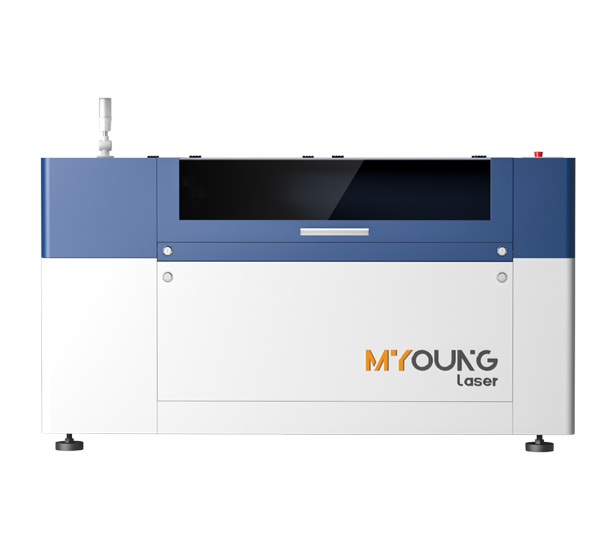
MYonglaser co2 laser cutting machine
How to Cut Intricate Designs in Acrylic with CO2 Lasers

How to Cut Intricate Designs in Acrylic with CO2 Lasers

INDUSTRIAL NEWS

How to Cut Intricate Designs in Acrylic with CO2 Lasers

When it comes to precision and intricate designs, CO2 laser machines stand out as the tool of choice. Acrylic, as a laser-compatible material, allows designers to achieve smooth cuts, sharp angles, and complex patterns. But mastering the art of cutting intricate designs in acrylic involves knowing how to optimize your CO2 laser machine settings, material preparation, and handling techniques. Below, we dive into the key aspects of achieving flawless, intricate acrylic designs using a CO2 laser.

1. Choosing the Right Laser Power and Settings

The success of your design largely depends on choosing the correct power, speed, and frequency settings on your CO2 laser machine. For intricate designs:

  • Power Level: Lower power settings (usually between 40-80W) are often preferred for intricate cuts, as they reduce the risk of overheating and melting the acrylic.
  • Speed and Frequency: Higher speeds with moderate frequency (e.g., 500-1000 Hz) create clean cuts without excessive heat. Slow speeds may lead to more polished cuts, but when creating intricate shapes, avoid going too slow as it could cause unwanted melting around tight corners.

MYounglaser CO2 laser machines offer precise control over these settings, allowing you to adjust each parameter to match the complexity of your design and the acrylic’s thickness.

2. Material Selection and Preparation

Choosing Acrylic Type:

  • Cast Acrylic is generally more suitable for laser cutting intricate designs than extruded acrylic. It cuts cleaner, produces a frosted edge, and is less likely to produce debris or irregular melting.
  • Thickness: Thinner acrylic sheets (around 3-5mm) are easier to work with when designing intricate patterns, as they allow the laser to move more smoothly without deep cutting requirements.

Cleaning and Setup:

  • Always clean the surface of the acrylic before cutting to remove any dust or particles that could interfere with the laser’s precision.
  • Place the acrylic flat on the machine bed, ensuring there are no warps or curves. Using adhesive tape or a vacuum table can help stabilize the material and prevent shifting during the cutting process.

3. Design Preparation in Software

CO2 laser machines rely on vector files to guide cutting paths. For intricate designs, software choices are key:

  • Choose Suitable Design Software: Programs like Adobe Illustrator or CorelDRAW are excellent for creating detailed vector designs. Ensure the vector paths are smooth to prevent the laser from hesitating or jumping during the cut.
  • Optimize File Settings: Simplify paths where possible without compromising detail, as this minimizes the chances of the laser overlapping lines or doubling cuts. Set line thicknesses appropriately, ensuring they’re fine enough to capture detail but not so fine that the laser misinterprets them.
  • Small Gap Adjustments: Make sure there’s a small allowance in designs with interlocking parts, especially when making intricate engravings or cutouts.
co2 laser cutting machine

4. Test and Adjust Before Final Cutting

It’s beneficial to perform a few test cuts on a small acrylic sample before proceeding with your final piece:

  • Trial Cuts on Scrap Material: Use a piece of scrap acrylic to test your settings. This helps identify any adjustments needed in speed or power.
  • Evaluate Cut Quality: Check the cut quality after each test. If the edges are too rough, decrease the power or increase speed. If the cut doesn’t go through, slightly raise the power level.

5. Cutting Techniques and Machine Care

Optimized Pathing: Arrange your design to minimize unnecessary laser travel. This not only speeds up production but also reduces the risk of heat buildup around intricate areas. Use software to optimize the cutting path for efficiency.

Cooling System: Overheating is a common issue when cutting intricate designs. Ensure that your CO2 laser machine’s cooling system is functioning correctly, as this prevents overheating and keeps your cuts smooth. MYounglaser CO2 laser machines are equipped with advanced cooling systems that maintain optimal temperature during high-precision tasks.

Air Assist: The air assist function helps remove debris and prevents the laser from igniting small acrylic particles, which is particularly useful for fine, detailed work.

6. Finishing and Polishing

After cutting, you may notice minor imperfections or melted edges. Simple finishing steps can help refine the final product:

  • Edge Polishing: Use a polishing solution or a polishing wheel to smooth any rough or slightly melted edges on your acrylic.
  • Cleaning: Wipe down the surface to remove any residual dust or debris from the cutting process, ensuring a clean final product.
co2 laser machine manufacturers

Why Choose MYounglaser CO2 Laser Machines?

MYounglaser’s CO2 laser machines are designed with intricate acrylic designs in mind. With precise power control, efficient cooling, and reliable performance, MYounglaser machines offer versatility for both beginner and expert users. These machines are ideal for producing professional-quality acrylic cuts while reducing the risk of common issues like melting or debris accumulation.

Start your intricate acrylic design journey with an MYounglaser CO2 laser machine, and experience unparalleled precision and control. Ready to upgrade your workshop? Contact us today for more information!

Ready to Speak with One of Our Experts?

Getting started on any project can be daunting. Let us handle the technicalities so you can focus on bringing your designs to life.

Open the box; pull out your machine; and get to work. Whether you’re engraving on wood, leather, acrylic, or metal, just let us know your materials of choice, and we’ll find the perfect machine for your needs.

If you’re ready to upgrade your equipment, elevate your business, or simply unleash your creativity, we’re here to assist.

At Foshan Myoung Laser Technology Co., Ltd., established in 2012, we pride ourselves on integrating R&D, manufacturing, sales, and service to deliver top-notch laser solutions. Our range includes laser cutting machines, laser welding machines, laser marking machines, and industry-specific and automated laser equipment.

Got questions? Comments? Curious about our cutting-edge laser technology? Schedule a call with us today. We actually answer our phones and are here to help you every step of the way.
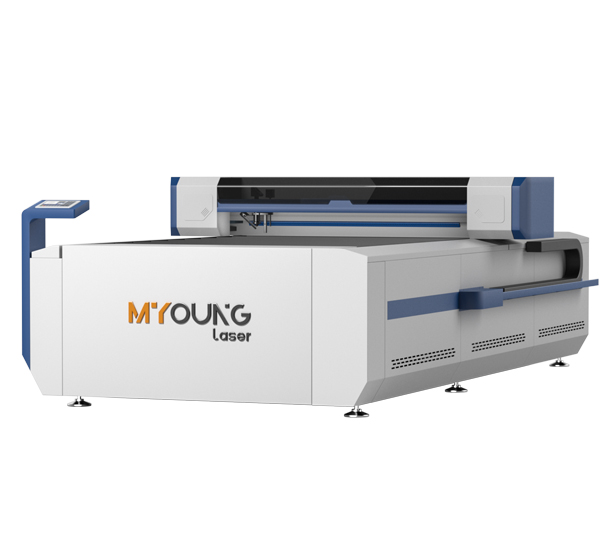
MYonglaser co2 laser cutting machine
What is the Ideal Laser Power for Acrylic Cutting?

What is the Ideal Laser Power for Acrylic Cutting?

INDUSTRIAL NEWS

What is the Ideal Laser Power for Acrylic Cutting?

When selecting a CO2 laser machine for acrylic cutting, understanding the relationship between laser power and material thickness is crucial for achieving clean, precise cuts. Acrylic is commonly used in various industries for signage, decorative items, and prototypes, so choosing the right laser power is essential to optimizing both cutting quality and machine efficiency. Here, we’ll look at how different power levels impact the acrylic cutting process and identify the ideal power range based on specific project needs.


Understanding Laser Power for Acrylic Cutting

CO2 laser power is measured in watts (W), and the appropriate power level for cutting acrylic depends on the thickness of the material. Higher wattages allow faster cutting and thicker material processing, but they also generate more heat, which can lead to melting or warping if not managed carefully. Here’s a breakdown of commonly used laser power levels and their applications in acrylic cutting:

  1. Low Power (40W – 60W): Ideal for thin sheets up to 3mm thick.
    • Use: Cutting thin acrylic sheets and engraving delicate designs.
    • Advantages: Lower power minimizes the risk of melting or edge warping, making it ideal for high-detail work where sharp edges are essential.
    • Limitations: Not suitable for thicker sheets due to limited cutting depth.
  2. Medium Power (80W – 100W): Suitable for 3mm to 6mm thick acrylic.
    • Use: Provides a balance between speed and precision, suitable for most standard acrylic cutting tasks.
    • Advantages: Greater versatility for medium-thickness materials, allowing faster cuts while maintaining clean edges.
    • Limitations: Not optimal for very thin or very thick acrylic, as higher power may cause slight discoloration on thinner sheets.
  3. High Power (130W – 150W): Best for thicker acrylic sheets (6mm to 12mm).
    • Use: Cutting thicker acrylic efficiently while maintaining quality.
    • Advantages: High power allows for fast cuts on thicker materials, reducing the need for multiple passes.
    • Limitations: Increased risk of overheating if not properly calibrated. Essential to adjust speed to prevent melting.
  4. Industrial Power (200W and Above): Required for special applications or extra-thick materials (12mm and above).
    • Use: Primarily for industrial applications where heavy-duty cutting is necessary.
    • Advantages: Efficient for large-scale production of thick acrylic components.
    • Limitations: Higher cost and maintenance; may be unnecessary for typical acrylic applications.
co2 laser cutting machine

Matching Power and Speed for Acrylic Cutting

The ideal laser power must be paired with the right speed settings to achieve the best results. Higher power generally requires faster cutting speeds to prevent overheating, which can lead to undesirable outcomes like burnt edges or warping. Adjusting power and speed allows for smoother cuts and minimizes the need for post-processing.

For instance:

  • Thin Acrylic (1-3mm): Use a 40W laser with slower speeds.
  • Medium Thickness (4-6mm): An 80W laser with moderate speed offers a clean cut.
  • Thick Acrylic (7mm and above): A 130W laser with higher speed settings reduces heat exposure and maintains smooth edges.
co2 laser machine manufacturers

Why Choose MYounglaser CO2 Laser Machines?

MYounglaser CO2 Laser Machines offer a range of laser power options to accommodate diverse acrylic cutting projects, from delicate engravings to heavy-duty industrial cutting. Designed with high-precision motors, durable optical components, and adjustable power settings, MYounglaser machines provide clean, consistent cuts even on thicker acrylic materials. Additionally, with advanced cooling systems, MYounglaser CO2 machines prevent overheating, maintaining cut quality and prolonging machine lifespan.

Whether you’re working with thin acrylic sheets for custom designs or thick panels for structural applications, MYounglaser has machines that can cater to your project needs while optimizing speed and precision.

Ready to Speak with One of Our Experts?

Getting started on any project can be daunting. Let us handle the technicalities so you can focus on bringing your designs to life.

Open the box; pull out your machine; and get to work. Whether you’re engraving on wood, leather, acrylic, or metal, just let us know your materials of choice, and we’ll find the perfect machine for your needs.

If you’re ready to upgrade your equipment, elevate your business, or simply unleash your creativity, we’re here to assist.

At Foshan Myoung Laser Technology Co., Ltd., established in 2012, we pride ourselves on integrating R&D, manufacturing, sales, and service to deliver top-notch laser solutions. Our range includes laser cutting machines, laser welding machines, laser marking machines, and industry-specific and automated laser equipment.

Got questions? Comments? Curious about our cutting-edge laser technology? Schedule a call with us today. We actually answer our phones and are here to help you every step of the way.
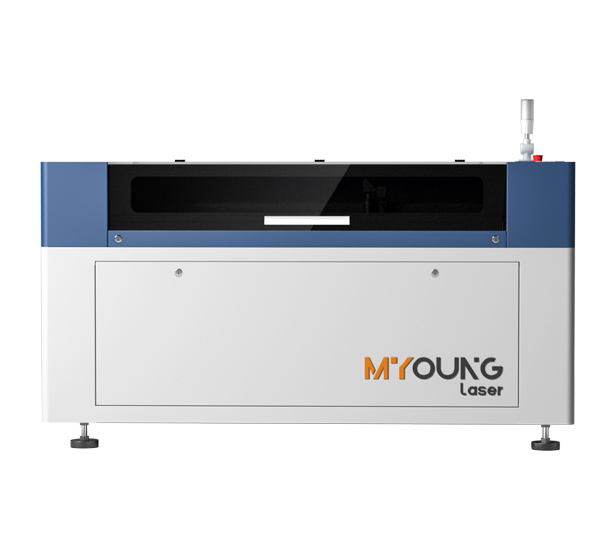
MYonglaser co2 laser cutting machine
Common Issues in Acrylic CO2 Laser Cutting and Effective Solutions

Common Issues in Acrylic CO2 Laser Cutting and Effective Solutions

INDUSTRIAL NEWS

Common Issues in Acrylic CO2 Laser Cutting and Solutions

Acrylic CO2 laser cutting has become a go-to method for achieving clean, precise cuts and engravings. However, like any technology, it comes with its own set of challenges that may affect cutting quality and efficiency. Here, we’ll outline some common issues encountered in acrylic laser cutting and provide effective solutions to help maintain the performance of your CO2 laser machine.

1. Poor Edge Quality

  • Issue: When cutting acrylic, edges may come out rough, cloudy, or scorched, which detracts from the final product’s quality.
  • Solution:
    • Optimize Settings: Adjust your laser’s power and speed settings. High power and low speed may produce clean, polished edges but can scorch the acrylic if not calibrated. Start with lower power and gradually increase it.
    • Air Assist: Use an air assist function to blow away debris and maintain a consistent cut. This keeps edges cleaner and minimizes scorching.

2. Material Warping

  • Issue: Acrylic can warp if exposed to high temperatures for too long during cutting or engraving, leading to uneven surfaces.
  • Solution:
    • Proper Speed and Power Balance: Reduce laser power or increase speed to prevent overheating. Setting your machine for quick passes can help, especially for thicker acrylics.
    • Work in Layers: For deep engravings, consider engraving in multiple shallow passes instead of one deep pass to avoid excess heat buildup.

3. Melting and Distortion of Acrylic

  • Issue: CO2 lasers can sometimes generate excessive heat, causing acrylic to melt and distort.
  • Solution:
    • Optimize Focus and Frequency: Ensure the focus is adjusted accurately to keep the laser beam concentrated. Lower frequencies can minimize heat buildup, reducing the risk of melting.
    • Use Cast Acrylic: Cast acrylic is generally more resilient to heat compared to extruded acrylic, which is more prone to melting and distortion.
China co2 laser engraving machine

4. Inconsistent Engraving Depth

  • Issue: Inconsistent depth can make designs appear uneven or faded.
  • Solution:
    • Regular Maintenance: Dust or debris on lenses and mirrors can affect the laser’s power, leading to inconsistent cuts. Clean optical components regularly.
    • Material Stability: Ensure the acrylic sheet is flat and stable on the work table. Any gaps or warping in the material can lead to uneven engraving.

5. Laser Beam Misalignment

  • Issue: Misalignment of the laser beam can cause cuts to be off-center or lead to uneven edges.
  • Solution:
    • Realign Mirrors: CO2 laser machines often require regular alignment of their mirrors. Follow your machine’s alignment procedure to ensure the beam is hitting the focal lens accurately.
    • Routine Checks: Regularly inspect mirror and lens alignment, especially if your machine is moved frequently, as vibrations can shift components out of place.

6. Residual Burn Marks on Surface

  • Issue: Burn marks around the cut edges can be an aesthetic issue, especially in transparent acrylic.
  • Solution:
    • Masking Tape: Apply masking tape to the surface of the acrylic before cutting to prevent the laser from scorching the top layer.
    • Reduce Power: Lower power settings slightly and increase speed. This minimizes burn marks by reducing the time the laser spends in any single location.
China CO2 Laser Machine Factory

Using MYounglaser CO2 Laser Machines for Superior Results

For consistent, high-quality acrylic cuts, MYounglaser CO2 Laser Machines are engineered with advanced features to mitigate many of these common issues. Equipped with Japan Shinano motors for high precision, these machines offer exceptional control over laser speed and power, allowing users to fine-tune settings for each specific project. Additionally, MYounglaser machines include built-in cooling and dust-removal systems, helping prevent overheating and keeping optics clean to ensure precision with every cut.

Ready to Speak with One of Our Experts?

Getting started on any project can be daunting. Let us handle the technicalities so you can focus on bringing your designs to life.

Open the box; pull out your machine; and get to work. Whether you’re engraving on wood, leather, acrylic, or metal, just let us know your materials of choice, and we’ll find the perfect machine for your needs.

If you’re ready to upgrade your equipment, elevate your business, or simply unleash your creativity, we’re here to assist.

At Foshan Myoung Laser Technology Co., Ltd., established in 2012, we pride ourselves on integrating R&D, manufacturing, sales, and service to deliver top-notch laser solutions. Our range includes laser cutting machines, laser welding machines, laser marking machines, and industry-specific and automated laser equipment.

Got questions? Comments? Curious about our cutting-edge laser technology? Schedule a call with us today. We actually answer our phones and are here to help you every step of the way.
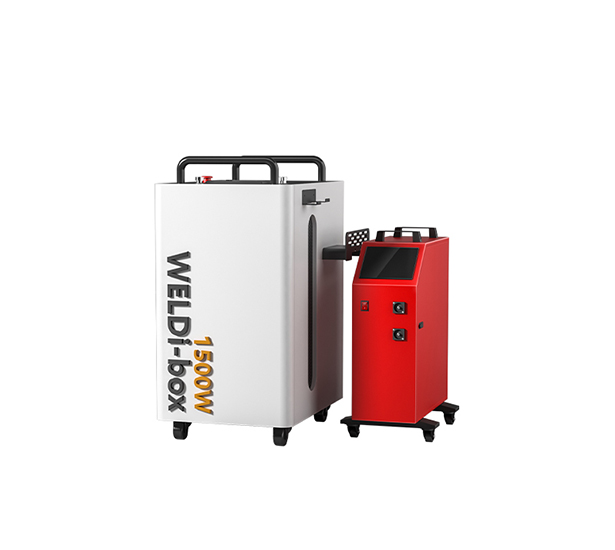
MYonglaser co2 laser cutting machine
How to Choose Between Cast and Extruded Acrylic for Laser Cutting

How to Choose Between Cast and Extruded Acrylic for Laser Cutting

INDUSTRIAL NEWS

How to Choose Between Cast and Extruded Acrylic for Laser Cutting

When it comes to using a CO2 laser machine for acrylic projects, the choice between cast and extruded acrylic can make a significant difference in the outcome of your work. Both types have unique properties that suit different applications, making it essential to understand each option’s benefits and limitations. Here’s a guide to help you determine which acrylic type—cast or extruded—is the best choice for your laser cutting needs.

Understanding Cast and Extruded Acrylic

  1. Cast Acrylic: Made by pouring liquid acrylic between two glass plates, cast acrylic is generally more durable and less prone to cracking. It’s known for its excellent optical clarity and a slight hardness that helps prevent scratching. This type is ideal for applications where detail and precision are key, such as engraving and high-quality cut designs.
  2. Extruded Acrylic: This type is produced by pushing acrylic through a mold, resulting in a uniform sheet thickness and a more cost-effective material. Extruded acrylic tends to be softer than cast acrylic, making it better suited for simple cuts. However, it may not deliver as clean a finish for highly detailed laser engraving due to potential melting or warping.
China co2 laser engraving machine

Key Differences: Cast vs. Extruded Acrylic in Laser Cutting

  1. Clarity and Finish

    • Cast Acrylic: Known for superior clarity and a high-gloss finish. When cut with a CO2 laser, it leaves a smoother, more polished edge ideal for decorative projects.
    • Extruded Acrylic: Slightly less optically clear than cast acrylic, with a more pronounced blue tint. Its edges after cutting may appear slightly rougher, although polishing can enhance the finish.
  2. Reaction to Laser Heat

    • Cast Acrylic: This type is more heat-resistant, allowing it to retain its shape during engraving. Engraved lines on cast acrylic are clean and pronounced, making it suitable for intricate designs.
    • Extruded Acrylic: Tends to melt more quickly under the laser, which can create rounded or slightly distorted edges in intricate areas. It’s more effective for simpler, larger cutouts than detailed engravings.
  3. Thickness and Material Consistency

    • Cast Acrylic: Thickness can vary slightly across a single sheet, which may impact laser settings but adds to the charm and uniqueness in artistic applications.
    • Extruded Acrylic: Offers more uniform thickness throughout each sheet, which simplifies laser setup and is advantageous for projects that require multiple identical pieces.
  4. Cost Considerations

    • Cast Acrylic: Generally more expensive due to its production process. However, the higher quality may justify the price for precision projects.
    • Extruded Acrylic: More budget-friendly, making it suitable for larger projects or where appearance and precision are secondary to cost.
China co2 laser engraving machine

When to Use Cast Acrylic

  • Engraving-Heavy Projects: Cast acrylic responds better to detailed engraving, providing a clear, frosted appearance that contrasts well against the surrounding material.
  • Precision Designs: Its resistance to heat allows cast acrylic to maintain detailed shapes, ideal for custom signage, intricate décor, or premium items.
  • Premium Quality Needs: For applications where a polished finish and durability are essential, cast acrylic is worth the investment.

When to Use Extruded Acrylic

  • Large-Scale Production: The cost-effectiveness and uniform thickness of extruded acrylic make it ideal for mass-produced items where the finish is less critical.
  • Simple Cutouts: Extruded acrylic is suitable for basic shapes without the need for intricate detail. It’s commonly used for simple displays, industrial templates, and basic forms.
  • Budget-Conscious Projects: When affordability is essential, extruded acrylic is the better option without sacrificing too much on quality for straightforward designs.

Choosing the Right CO2 Laser Machine for Acrylic Cutting

Selecting a high-performance laser machine can enhance the quality and efficiency of your work with either acrylic type. MYounglaser’s Dura Series offers top-of-the-line CO2 laser machines equipped to handle various acrylic projects with precision and speed. These machines are crafted with high-grade components, such as Japan Shinano motors and self-cleaning linear guide rails, which contribute to consistent accuracy and quality results. Additionally, they are compatible with both cast and extruded acrylic, allowing users to work across a range of projects.

Deciding between cast and extruded acrylic depends on the specific demands of your laser cutting project. For high-detail and premium-quality results, cast acrylic is the preferred choice, while extruded acrylic is a budget-friendly alternative that’s best for simpler, large-scale applications. Whether you choose cast or extruded acrylic, pairing it with a high-quality CO2 laser machine like MYounglaser’s Dura Series ensures the best possible finish, helping you achieve the precision and efficiency needed for both creative and industrial projects.

Ready to Speak with One of Our Experts?

Getting started on any project can be daunting. Let us handle the technicalities so you can focus on bringing your designs to life.

Open the box; pull out your machine; and get to work. Whether you’re engraving on wood, leather, acrylic, or metal, just let us know your materials of choice, and we’ll find the perfect machine for your needs.

If you’re ready to upgrade your equipment, elevate your business, or simply unleash your creativity, we’re here to assist.

At Foshan Myoung Laser Technology Co., Ltd., established in 2012, we pride ourselves on integrating R&D, manufacturing, sales, and service to deliver top-notch laser solutions. Our range includes laser cutting machines, laser welding machines, laser marking machines, and industry-specific and automated laser equipment.

Got questions? Comments? Curious about our cutting-edge laser technology? Schedule a call with us today. We actually answer our phones and are here to help you every step of the way.
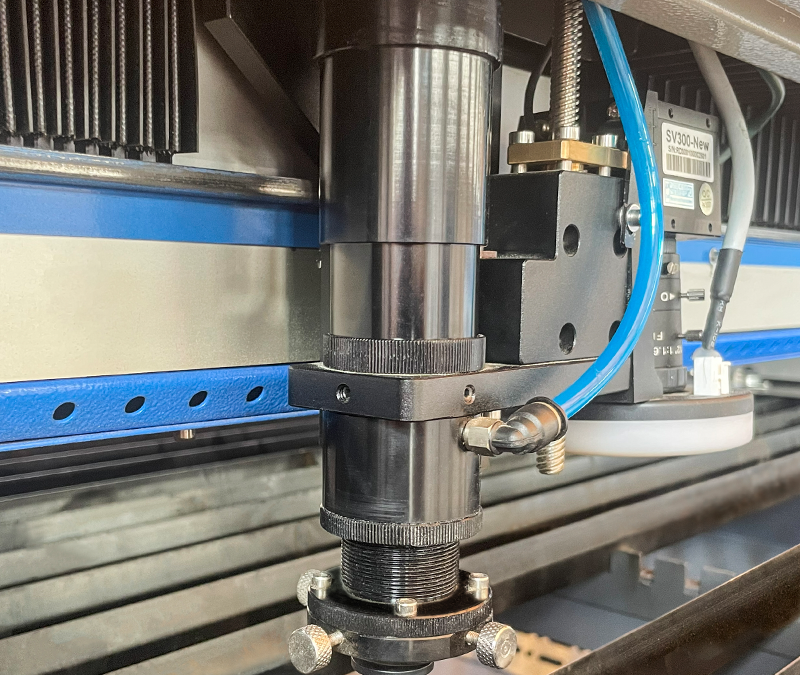
MYonglaser co2 laser cutting machine
How to Avoid Cracks and Fractures in Acrylic Laser Cutting

How to Avoid Cracks and Fractures in Acrylic Laser Cutting

INDUSTRIAL NEWS

How to Avoid Cracks and Fractures in Acrylic Laser Cutting

Cutting acrylic with a CO2 laser machine is popular for achieving clean, precise edges, but without the right techniques, issues like cracking and fracturing can arise. Here’s a guide to help you prevent these problems and get the best results in your acrylic laser cutting projects.


1. Choose the Right Acrylic Type

  • Cast Acrylic: Cast acrylic is often preferred for laser cutting because it melts cleanly, resulting in smooth edges. It is less likely to crack or fracture than extruded acrylic, which can be more brittle and challenging to work with under high temperatures.
  • Thickness Matters: Thicker acrylic sheets may require multiple passes or slower cutting speeds to avoid stress buildup that could lead to cracks. Selecting the correct thickness for your project can significantly reduce the risk of damage.

2. Optimize Laser Settings

  • Power and Speed: Adjust the laser power and speed based on the thickness and type of acrylic. For a clean cut without fractures, start with lower power settings and moderate speed. High power can generate excessive heat, causing thermal stress and cracks along the cutting path.
  • Focus and Frequency: Correct focusing is essential to avoid uneven cuts. Additionally, setting the laser frequency appropriately for acrylic helps achieve smoother cuts without causing micro-cracks along the edges.

3. Use Air Assist Effectively

  • Prevent Heat Buildup: An air assist system helps remove excess heat and debris from the cutting area, reducing the chances of cracks. Adjusting the air pressure correctly ensures the laser maintains a cool cutting environment without introducing additional stresses.
  • Protects Edges: Air assist also prevents melting or warping along the edges, resulting in a polished cut. Properly directed airflow minimizes the likelihood of fractures.
 China co2 laser engraving machine

4. Avoid Excessive Overlap in Design

  • Plan Your Cuts: Overlapping cuts or revisiting the same cutting line multiple times can create weak points in the acrylic, making it prone to cracking. Plan your design to avoid excessive cuts in the same area.
  • Smooth Paths: Sharp angles or intricate details may lead to fractures, especially if the laser pauses or lingers. Ensure your design has smooth paths to allow continuous laser movement without causing stress points.

5. Preheat or Gradually Adjust Laser Settings for Thick Acrylic

  • Preheating Technique: For thicker acrylic sheets, some professionals preheat the acrylic slightly before cutting to help it better withstand the laser heat without cracking.
  • Gradual Power Increase: Start with a lower power setting and gradually increase it to achieve the desired depth. This gradual approach helps avoid sudden temperature changes that might otherwise fracture the material.

6. Prevent Post-Cutting Stress

  • Avoid Quick Temperature Changes: After cutting, let the acrylic cool down gradually to prevent cracks from sudden temperature shifts. Avoid handling the cut pieces immediately, especially if they’re thick.
  • Polishing and Finishing: Use appropriate polishing techniques, such as flame polishing, to smoothen edges without introducing stress. However, be careful with heat levels during polishing to avoid further damage.
co2 laser cutting machine

Cracks and fractures in acrylic laser cutting can often be avoided by selecting the right materials, using optimized machine settings, and ensuring gradual temperature changes. MYounglaser’s CO2 laser machines are designed to handle acrylic with precision, offering reliable performance and smooth cuts that help reduce the risk of material damage.

Ready to start your acrylic laser cutting journey? Check out MYounglaser’s range of CO2 laser machines designed for acrylic and other materials. Get the best results with a machine built for precision and durability!

Ready to Speak with One of Our Experts?

Getting started on any project can be daunting. Let us handle the technicalities so you can focus on bringing your designs to life.

Open the box; pull out your machine; and get to work. Whether you’re engraving on wood, leather, acrylic, or metal, just let us know your materials of choice, and we’ll find the perfect machine for your needs.

If you’re ready to upgrade your equipment, elevate your business, or simply unleash your creativity, we’re here to assist.

At Foshan Myoung Laser Technology Co., Ltd., established in 2012, we pride ourselves on integrating R&D, manufacturing, sales, and service to deliver top-notch laser solutions. Our range includes laser cutting machines, laser welding machines, laser marking machines, and industry-specific and automated laser equipment.

Got questions? Comments? Curious about our cutting-edge laser technology? Schedule a call with us today. We actually answer our phones and are here to help you every step of the way.
MYonglaser co2 laser cutting machine
Laser-Cut Acrylic Trophies: Design and Production

Laser-Cut Acrylic Trophies: Design and Production

INDUSTRIAL NEWS

Laser-Cut Acrylic Trophies: Design and Production

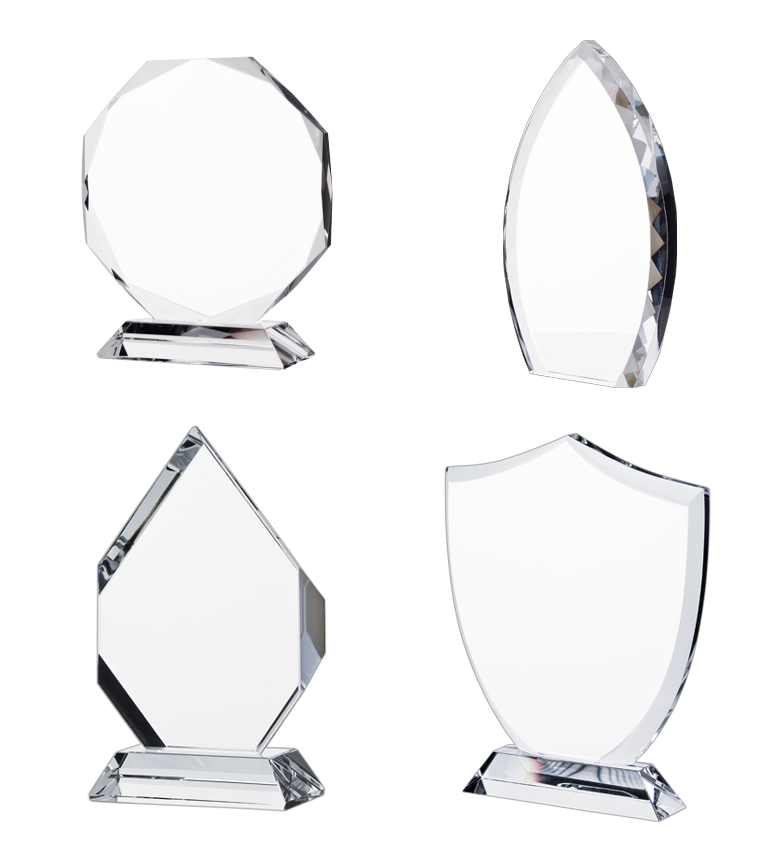
Using CO2 laser machines to create acrylic trophies is a fantastic way to produce professional, custom awards that are both durable and visually appealing. Laser-cutting acrylic enables precision and allows for detailed designs, making it an ideal choice for creating trophies of all shapes and sizes. Here’s a look at the design and production process, along with considerations for making the most out of CO2 laser cutting technology.

1. Designing Acrylic Trophies for Laser Cutting

  • Choosing the Right Acrylic: Start by selecting high-quality cast acrylic, which cuts cleanly with CO2 laser machines and produces polished, smooth edges. This type of acrylic is preferred for trophies due to its durability and clarity.
  • Customizable Shape and Design: Laser cutting allows for limitless design possibilities. Whether the trophy includes sharp angles, intricate shapes, or detailed engravings, CO2 laser machines make it easy to achieve precise and clean designs. Programs like Adobe Illustrator, CorelDRAW, and LightBurn are excellent tools for preparing intricate vector files compatible with CO2 laser machines.
  • Size and Thickness: Decide on the appropriate thickness based on the trophy’s size and intended sturdiness. A thickness of 6-10mm is commonly used for most acrylic trophies.

2. Preparing for Production with CO2 Laser Machines

  • Setting Laser Parameters: CO2 laser machines allow you to adjust speed, power, and frequency for clean cuts and engraving. For acrylic, use moderate power settings with lower speeds to achieve a smooth edge without burning.
  • Engraving Details: CO2 laser machines are exceptional for adding intricate details and personalization to trophies. This includes names, dates, and logos. Ensuring the machine’s focus is precise and using a lower power setting will produce sharper, more detailed engravings without damaging the surface.
  • Machine Calibration: Regular calibration is key to achieving consistent quality in acrylic cutting and engraving. Machines from MYounglaser are known for their durability and precision, and routine maintenance helps keep them performing at their best.
 China co2 laser engraving machine

3. Producing Acrylic Trophies with CO2 Lasers

  • Cutting the Shape: Begin by cutting out the shape of the trophy according to your design file. CO2 laser machines work quickly and can cut even complex shapes with high accuracy. Consider using an air assist attachment, which helps blow away debris and reduces the risk of burning on the edges.
  • Polishing and Assembling: The edges of laser-cut acrylic are typically smooth and polished, but for an extra glossy finish, consider flame polishing. Once cut and engraved, assemble any additional pieces or stands to complete the trophy.
  • Quality Check: Inspect the final product for clarity and edge quality. Any unwanted debris can be removed using a gentle cleaner to ensure a pristine finish.

4. Benefits of Using CO2 Laser Machines for Trophy Production

  • Precision and Quality: CO2 laser machines, especially those by MYounglaser, are renowned for their precision, enabling detailed designs and clean cuts that are perfect for trophy production.
  • Efficiency: Using a CO2 laser machine is faster than traditional cutting methods and allows for quick adjustments between projects. For large orders, this efficiency makes CO2 laser cutting a highly cost-effective option.
  • Customization: The ease of programming custom designs means that each trophy can be uniquely tailored, adding value and a personal touch for recipients.
CO2 laser machines

Creating laser-cut acrylic trophies with a CO2 laser machine is an efficient way to produce high-quality, visually appealing awards. With the right design software, quality acrylic, and a reliable CO2 laser machine like those offered by MYounglaser, you can bring any trophy design to life. Whether for sports events, corporate awards, or personal achievements, CO2 laser cutting technology provides a professional edge to trophy making.

Ready to Speak with One of Our Experts?

Getting started on any project can be daunting. Let us handle the technicalities so you can focus on bringing your designs to life.

Open the box; pull out your machine; and get to work. Whether you’re engraving on wood, leather, acrylic, or metal, just let us know your materials of choice, and we’ll find the perfect machine for your needs.

If you’re ready to upgrade your equipment, elevate your business, or simply unleash your creativity, we’re here to assist.

At Foshan Myoung Laser Technology Co., Ltd., established in 2012, we pride ourselves on integrating R&D, manufacturing, sales, and service to deliver top-notch laser solutions. Our range includes laser cutting machines, laser welding machines, laser marking machines, and industry-specific and automated laser equipment.

Got questions? Comments? Curious about our cutting-edge laser technology? Schedule a call with us today. We actually answer our phones and are here to help you every step of the way.
MYonglaser co2 laser cutting machine